---
title: "Installation"
slug: "installation"
updated: 2026-02-17T14:05:26Z
published: 2026-02-17T14:05:26Z
canonical: "docs.xgen.ai/installation"
---
> ## Documentation Index
> Fetch the complete documentation index at: https://docs.xgen.ai/llms.txt
> Use this file to discover all available pages before exploring further.
# Installation
## Get your credentials From XGEN Admin Dashboard
The information needed to activate your API can be found in your [Admin Dashboard](https://app.xgen.ai/admin-dashboard/)
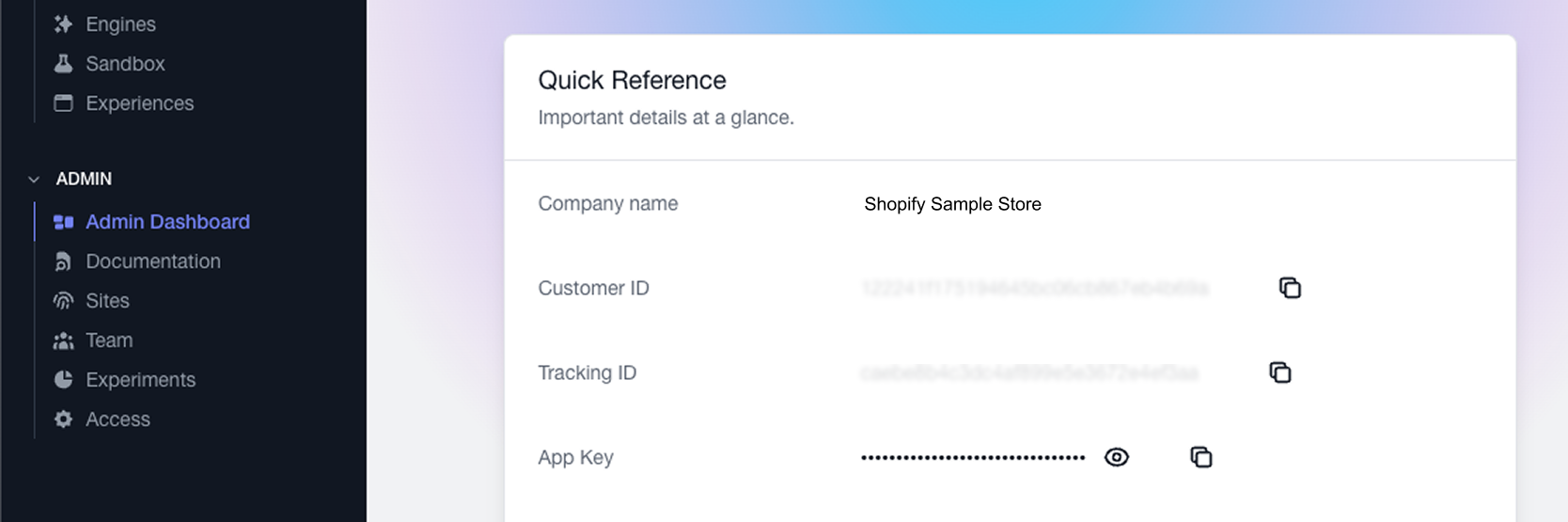
Log into your XGEN account and navigate to the bottom of the left side-menu. Select the [Admin Dashboard](https://app.xgen.ai/admin-dashboard/) page and find the following details:
1. Customer ID
2. TrackingID
3. App Key
4. App Secret
> [!NOTE]
> Contact Us For Account Credentials
>
> Email sales@xgen.ai
### Browser (manually via script tag)
```javascript
```
OR if you are using ES modules:
```javascript
```
In the above implementation options, you can also replace the `/path/to/dist` with `https://assets.xgen.dev/sdk-core/{{version}}/latest` and then add `/sdk-core.cjs` or `/sdk-core.umd.js` as needed. (The latest version can be found [here](https://www.npmjs.com/package/@xgenai/sdk-core))
The client must be initialized with a `key`, `secret`, `clientId`, and `trackerId` for the SDK to function properly (instructions on where to find these lower on this page). These values should be passed when the `DOMContentLoaded` event fires and should read:
```javascript
const xg = new XGenClient({ key: '', secret: '', clientId: '', trackerId: ''});
```
### Node.js (via npm)
```javascript
npm install @xgenai/sdk-core --save
```
```javascript
// Using ES modules (default)
import XGenClient from '@xgenai/sdk-core';
// OR if you are using CommonJS modules
const XGenClient = require('@xgenai/sdk-core')
```
For **Node < 17** you'll need to load a fetch() polyfill. We recommend [lquixada/cross-fetch](https://github.com/lquixada/cross-fetch):
```javascript
// npm install cross-fetch --save
import 'cross-fetch/polyfill';
```
### Shopify
Include this script tag
```xml
```
This will add the `XGenClient` to the window object and allow it to be instantiated globally.